
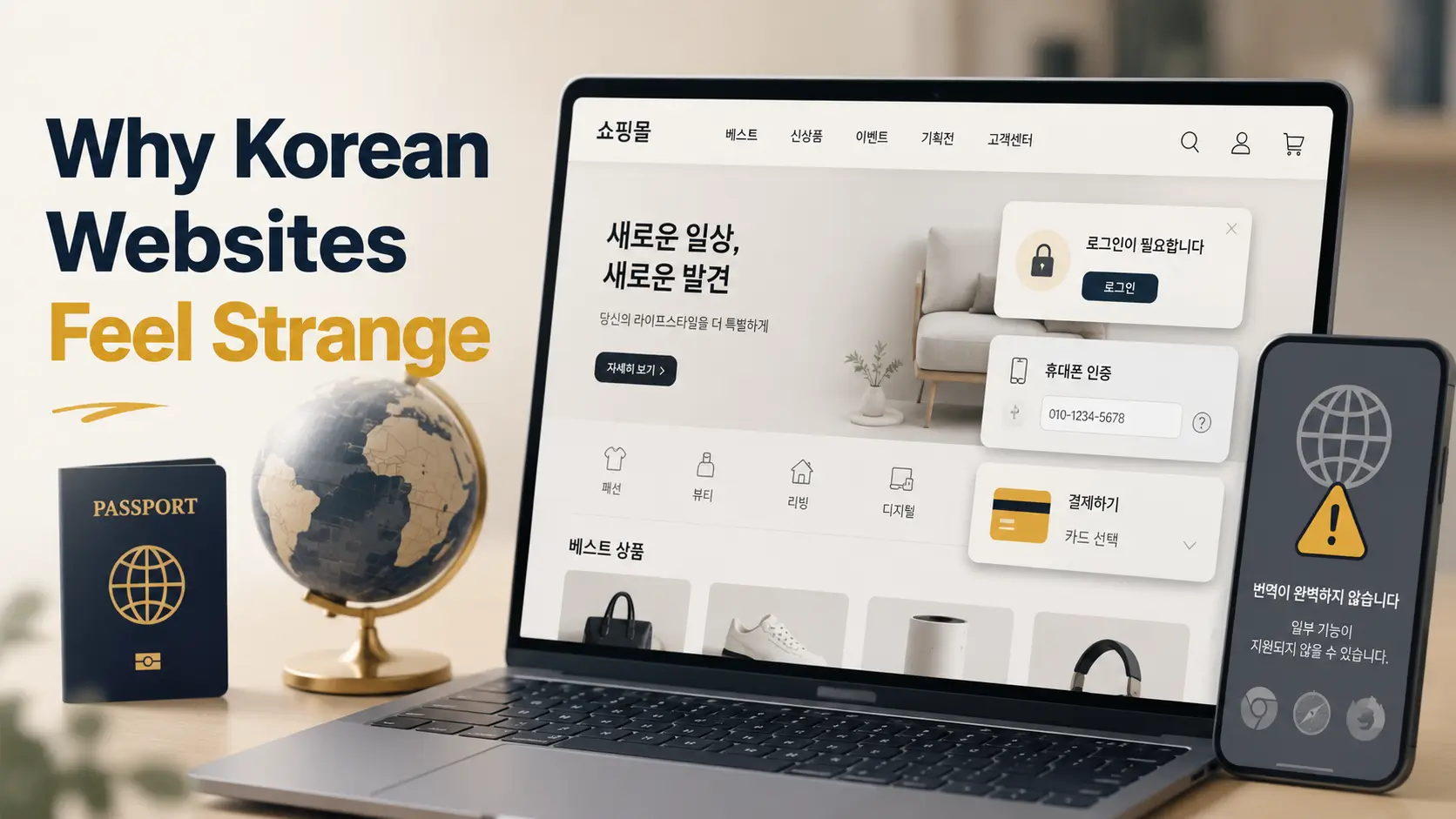
Foreign browser, Korean website, tiny storm cloud
Why Korean Websites Feel Strange
on Foreign Devices and Browsers
You open a Korean website to book a clinic appointment, buy concert tickets, reserve a hotel, order a product, or read a local notice. The page loads. Then the little oddities begin: a login path that wants a Korean phone number, a payment page that dislikes your foreign card, a popup that behaves less like an ad and more like a locked door, and a translated checkout screen that still feels written in invisible ink.
The easy explanation is “bad web design,” but that is too small a bowl for this soup. Many Korean websites are built around local identity systems, domestic payment habits, Naver and Kakao ecosystems, Windows-heavy legacy assumptions, dense mobile-first patterns, and regulations that make perfect sense inside Korea but become prickly overseas.
This guide explains the friction without turning it into a complaint parade. You will learn what is actually happening, how to troubleshoot a Korean site without losing your afternoon, and how site owners can make Korean-first services more usable for international visitors. The goal is not to shame the website. The goal is to find the door handle.
For travelers
Avoid checkout traps, booking dead ends, and phone-number walls before you commit time.
For expats
Understand why daily digital tasks can feel harder before your local setup is complete.
For web teams
Find the hidden foreign-user breakpoints in login, forms, payments, and language.
✨ The useful twist: many “broken” Korean websites are not broken at all. They are optimized for a different default human.
Snapshot: This article is for US and UK travelers, expats, remote workers, designers, marketers, and curious foreign users who run into awkward Korean website flows. You will learn why Korean login, payment, browser, app, and form patterns can feel unfamiliar, then use a practical compatibility check before booking, buying, registering, or advising a client.
Table of Contents
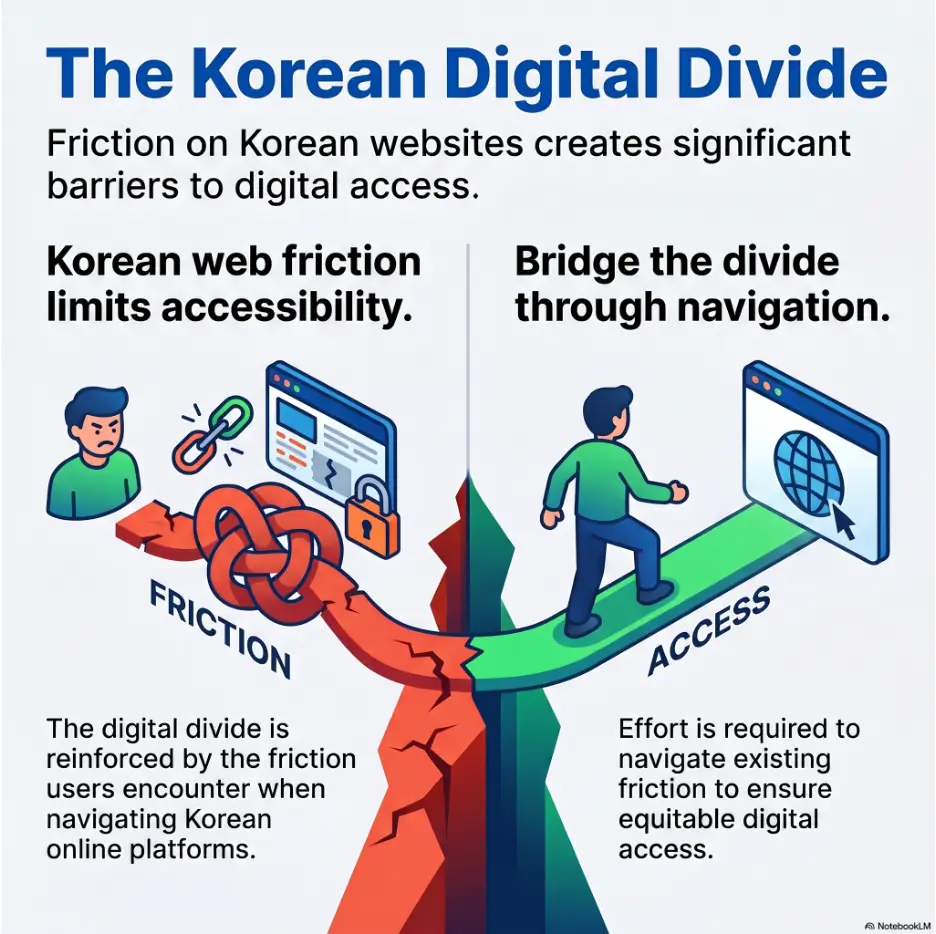
Broken Is Not Always Broken: The Korean-First Default
When a Korean website behaves strangely on a foreign device, the first instinct is usually suspicion. The page looks dated. A popup appears. A form rejects a perfectly normal name. A checkout flow seems to wander through three doors and a side alley. The user thinks, reasonably, “Is this site broken?”
Sometimes it is. But very often, the website is doing exactly what it was built to do. The problem is that it was built around a domestic user who has a Korean phone number, a Korean bank relationship, a familiar address format, a local app ecosystem, and years of muscle memory with Naver, Kakao, PASS, payment popups, and mobile certificate flows.
That domestic user may barely notice the friction. The foreign user meets it head-on, like stepping into a room where all the light switches are behind sliding panels.
Korean sites often assume a domestic user journey first
Many Korean websites begin with a simple assumption: the primary user is in Korea. That sounds obvious, but it affects nearly every part of the experience. A domestic user can verify identity through local mobile carriers. They can type a Korean address in the expected order. They may already have KakaoTalk installed. They may prefer Naver login. They may expect customer service through chat, phone, or a local app rather than long email threads.
For a Korean user, this creates speed. For a foreign visitor, it creates a row of velvet ropes.
Take a clinic reservation site. A local user enters a name, phone number, and maybe verifies through a carrier or receives a text. A traveler with a foreign number may never reach the calendar. The appointment system is not necessarily poorly built. It may simply treat the Korean phone number as the spine of the user record.
The invisible default: Korean phone number, Korean ID, Korean browser habits
Every digital product has invisible defaults. In the US, many sites assume email login, ZIP codes, credit cards, autofill, PayPal-like payment expectations, and English names with flexible spacing. In Korea, the default stack can be quite different: phone-number identity, local card authentication, name fields tied to official records, address search tools based on Korean road-name addresses, and platform logins that behave like everyday infrastructure.
These defaults are not decorative. They are load-bearing beams. Remove one, and the whole flow may wobble.
Key takeaway
A Korean website may feel strange abroad because the hidden “normal user” is not you. The site may expect local identity, payment, address, phone, app, and browser habits before it even shows the main task.
Why foreign users experience friction before content even loads
Some friction appears before the content itself matters. The site may ask you to choose a region, accept popups, install or open an app, switch to a local language version, verify an account, or approve a redirect. You came for the product page. The site is asking whether you belong in the system.
This is especially frustrating because the design may look polished. A modern homepage can still hide an old verification dependency. A beautiful booking page can still reject your foreign phone number. A well-translated landing page can still pass you into a Korean-only payment tunnel.
The first twist: the website may be working exactly as intended
Once you understand this, the experience becomes less mysterious. The website is not always a failed international product. It may be a successful domestic product with a thin international doorway attached.
That difference matters. If you are a traveler, it helps you troubleshoot. If you are a designer, it helps you audit the right failure points. If you are a Korean business owner hoping to serve foreign customers, it shows where conversions leak out quietly.
The Browser Gap Starts Before the Homepage
Foreign users often describe Korean websites as if the problem begins on the page. In reality, the gap can begin earlier: operating system, browser engine, browser language, region settings, popup behavior, certificate handling, translation tools, privacy settings, and device type all shape what the user sees.
A Korean website tested on a local Windows laptop with a Korean-language Chrome browser can behave differently on a US MacBook running Safari, a UK Android phone, or an iPhone with strict tracking settings and auto-translation enabled. The page is the same stage. The lighting crew is different.
Why Chrome may work differently depending on region, language, or device
Chrome is popular in Korea and abroad, so many users assume Chrome should behave the same everywhere. Not always. Browser language settings can change translation prompts, font fallback, date parsing, spellcheck, autofill behavior, and sometimes the way payment or authentication windows are handled.
Region settings on the device can also affect app links and store availability. A Korean website may push users toward a local app, but a foreign app store account might show a different listing, block installation, or open a version that does not match the web flow.
This is why “try Chrome” is useful but incomplete advice. The better advice is: try Chrome with translation off during forms, allow necessary popups temporarily, and test the critical action before investing time in browsing.
Safari, Firefox, and Edge can expose hidden compatibility assumptions
Safari can be excellent for everyday browsing, but stricter privacy behavior and different handling of certain redirects may reveal weak points in login or payment flows. Firefox can expose compatibility issues if a site was never tested beyond the most common domestic setup. Edge may handle some legacy enterprise-style flows more comfortably, especially on Windows, but that does not make it a universal cure.
The practical lesson is not that one browser is morally superior. Browsers are not knights. They are tools with different pockets.
If a Korean website fails on Safari during checkout, try Chrome. If Chrome fails after translation, turn translation off for the form. If a payment popup fails, check whether the popup was blocked. If a deep link fails on mobile, try desktop. Small changes can move the flow from fog to pavement.
Mobile browsers reveal problems desktop users never notice
Korea is extremely mobile-friendly in daily life, but that does not mean every mobile web flow is foreigner-friendly. Some Korean services treat the mobile web as a handoff point to the app. Others assume the user has KakaoTalk, a Korean carrier app, a bank app, or a local certificate app installed.
On desktop, you may see a fuller website. On mobile, you may be pushed into app links, QR codes, or condensed menus. If your app store region is outside Korea, the handoff can become a broken bridge.
Mini checklist: browser sanity test
- Test the page once in Chrome with translation off.
- Allow popups temporarily only for the trusted site you are using.
- Try desktop if the mobile site keeps opening app links.
- Try mobile if desktop payment windows fail.
- Take a screenshot before refreshing an error page.
Korean Login Flows Can Feel Like a Locked Garden
To many US and UK users, email is the center of account identity. You type an email address, create a password, verify a link, and move on. Korean websites often use a different center of gravity. Phone numbers, local platforms, real-name verification, and app-based identity can carry more weight than email.
This does not mean email login is absent. It means email login may be secondary, limited, or insufficient for certain actions. You may be able to create an account, but not book, buy, withdraw, verify, or receive certain messages without a Korean phone number or local identity step.
Naver, Kakao, PASS, and local identity systems shape the entry point
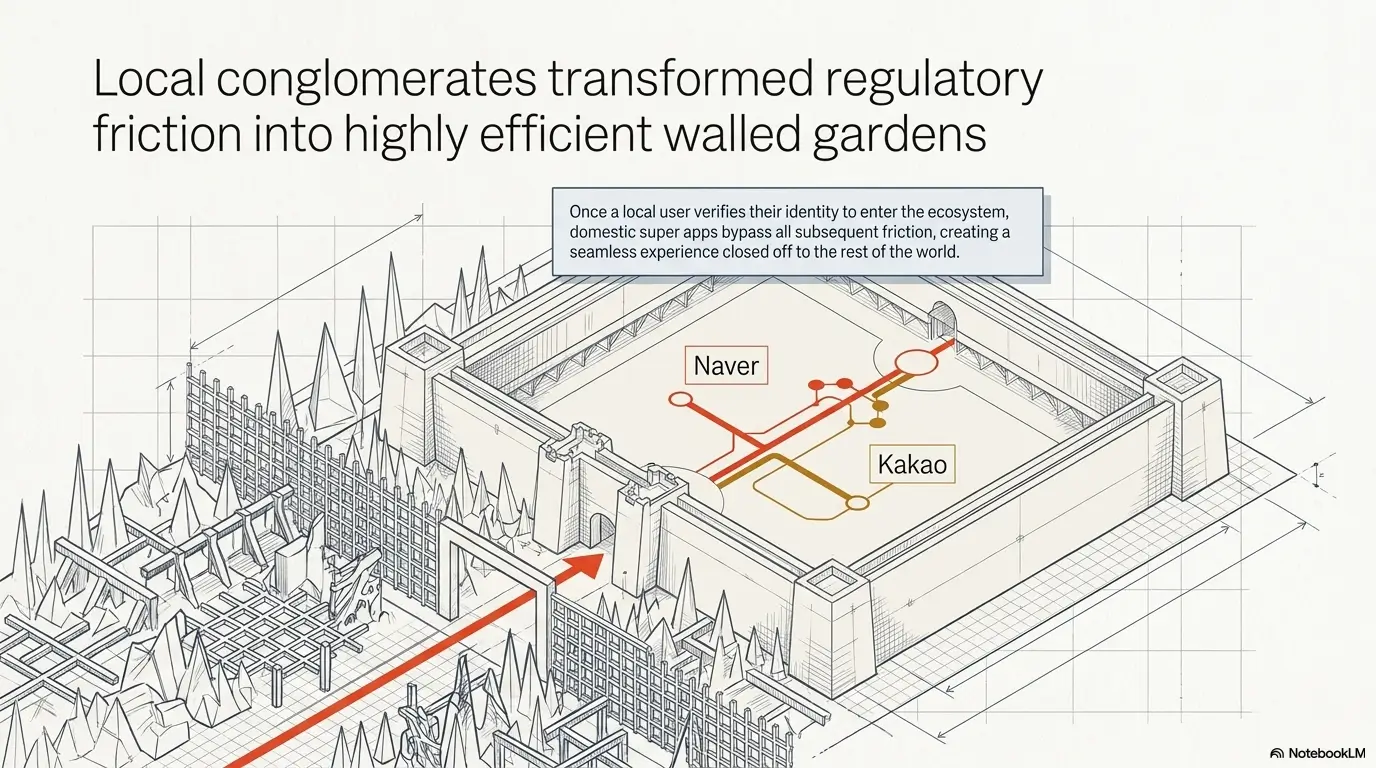
Naver and Kakao are not just apps. For many Korean users, they are identity, communication, search, maps, messaging, payments, and customer support channels wrapped into daily behavior. A website that offers Naver or Kakao login may be choosing convenience for its main audience.
Foreign users may still have KakaoTalk or a Naver account, but that does not always solve the deeper issue. Certain services may require local phone verification. Others may ask for a name that matches a Korean identity record. A platform login can open the gate, while the next checkpoint still asks for local proof.
PASS and carrier-based verification add another layer. These systems can feel strange to visitors because they connect identity to domestic mobile carriers and official verification habits. If you do not have the right local mobile setup, the login flow may stop politely, or not so politely.
Why email login may be treated as secondary or incomplete
Email is universal, but universal does not always mean trusted enough for every local transaction. In Korea, some services use phone-based identity because it supports fraud prevention, delivery communication, appointment reminders, and customer service. A domestic business may see email as too slow, too easy to mistype, or too detached from real-world delivery and payment workflows.
That creates a confusing moment for foreign users: the account exists, but the useful function remains locked. You have a profile, but you cannot complete checkout. You receive newsletters, but cannot reserve. You can browse, but cannot prove yourself in the way the system expects.
Foreign phone numbers can quietly break the whole funnel
The phone field is often the tiny trapdoor. A form may accept only Korean number patterns. It may reject plus signs. It may limit digit count. It may send text messages only domestically. It may require a carrier-verified name. The error message may be vague, translated poorly, or shown only after several steps.
For travelers, this matters before booking tours, clinics, restaurants, deliveries, classes, rentals, or tickets. For expats, it matters during the awkward early phase before local phone setup is complete. For remote workers, it matters when using coworking spaces, local services, and membership apps.
Key takeaway
If a Korean website asks for a phone number early, treat it as a real requirement, not a casual contact field. The number may control verification, booking messages, delivery, refunds, and account recovery.
The strange moment when the account exists, but access does not
This is one of the most frustrating Korean website moments. You successfully create an account, receive a welcome email, and maybe even log in. Then the service refuses the next action. From the user’s side, it feels contradictory. From the system’s side, account creation and transaction permission are separate layers.
The fix is not always available, but the diagnosis is useful. Before spending thirty minutes choosing a product, check whether the site lets you complete the identity, phone, or payment step. In other words, test the bridge before walking deep into the forest.
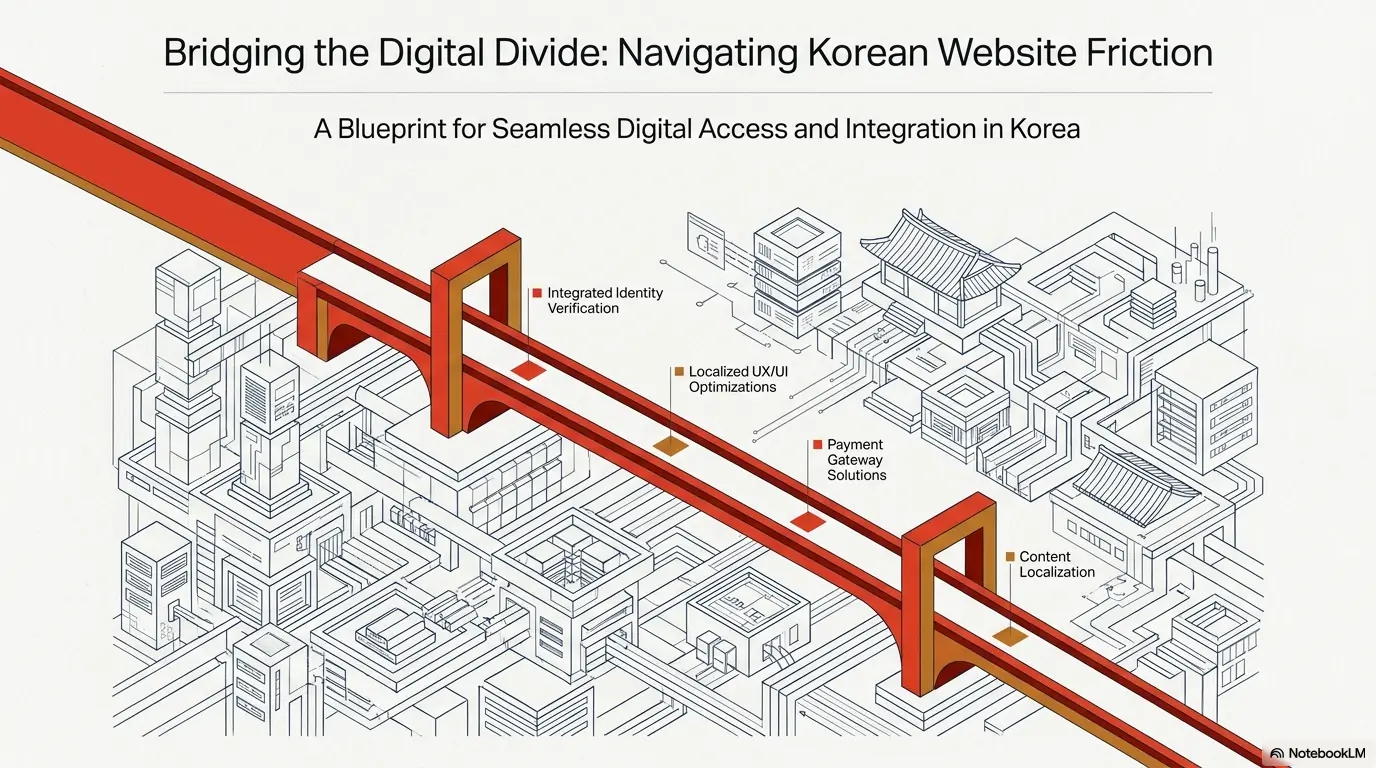
Payment Pages Are Where the Magic Trick Fails
Korean websites can look smooth until payment. Then the page becomes a tiny airport with too many gates. You may see redirects, popup authentication, card-company windows, app prompts, security modules, local bank options, QR codes, or error messages that explain nothing useful.
Payment is where local assumptions become hardest to avoid. A site can translate product descriptions into English, but payment still depends on banks, card processors, fraud controls, merchant settings, local rules, and authentication steps.
Korean cards, local banks, and authentication layers often come first
Many Korean online payment flows are designed around domestic cards and bank-linked authentication. Users may be asked to select a card issuer, approve a payment in an app, enter a password, confirm through a certificate, or move through a payment gateway that expects local behavior.
Foreign users may not know which option to choose. Even when an international card logo appears, the merchant may not accept all foreign-issued cards. The card network may be supported, while the merchant’s configuration, fraud rules, or authentication flow still blocks the transaction.
Why foreign credit cards may fail even on polished-looking sites
A foreign card can fail for several reasons. The merchant may not support foreign cards. The payment processor may require a local authentication method. The card issuer may flag the transaction. The address format may not match. The browser may block a required window. The payment page may translate labels but not change the underlying rules.
This is why “my card works everywhere else” does not settle the matter. Your card may be fine. The path between your card and that specific Korean merchant may not be built for you.
| Payment symptom | Possible cause | Practical move |
|---|---|---|
| Card option appears, then fails | Foreign-issued cards may not be supported by that merchant flow | Look for a clearly labeled global card option or contact support before retrying repeatedly |
| Popup opens and closes | Browser blocks or interrupts payment authentication | Allow popups for the site, then retry in Chrome |
| Payment asks for a local app | The flow expects Korean card or bank app approval | Try another payment method or use a platform built for international users |
| Address field blocks checkout | Billing or delivery format expects Korean address structure | Use the site’s official address search tool if available |
| Error message is vague | Payment gateway hides the true failure reason | Screenshot the message and ask merchant support if foreign cards are accepted |
Popup blockers, redirects, and app handoffs can interrupt checkout
In many Western browsing habits, popups are treated as pests. Close them. Block them. Ignore them. On some Korean sites, a popup may be part of the actual workflow. It may contain a required notice, payment confirmation, login approval, coupon selection, age verification, or policy consent.
That does not make every popup good design. It simply means foreign users should pause before closing everything. A popup that looks like noise may be the next step wearing a cheap hat.
Do not assume the checkout problem is your card
Repeatedly retrying the same foreign card can trigger fraud checks or create duplicate pending authorizations. Instead, step back. Check whether the site explicitly accepts foreign cards. Try a different browser. Turn off page translation during payment. Confirm whether a Korean phone number is required. If you are booking something time-sensitive, consider a platform known to support international users.
For a related foreigner-in-Korea topic, you may also find this guide useful: Korean phone plans for Americans. A local phone number often turns digital locks into ordinary doors.
Fonts, Forms, and Layout: The Small Weirdnesses Add Up
Not every awkward Korean website moment is dramatic. Some are small: a button wraps to a second line, English text spills out of a card, a date field rejects your format, or a font looks thinner than intended. These details can make a site feel less trustworthy even when the core service is legitimate.
The trouble is that small interface problems stack quickly. One weird field is annoying. Five weird fields create doubt. By the time payment fails, the user may decide the entire business is unreliable, even if the problem is just localization residue.
Korean typography can shift when foreign systems substitute fonts
Hangul is compact, orderly, and visually balanced when designed with the right font. On foreign systems, fallback fonts may change spacing, weight, and line height. A layout that looks clean on a Korean designer’s machine may look crowded or uneven on a foreign device.
English can create its own trouble. Long words such as “internationalization,” “authentication,” “accommodation,” or “subscription” can burst through cards designed for shorter Korean labels. A Korean phrase may fit neatly in one line. The English translation may need two or three.
Long English words can wreck layouts designed for Hangul spacing
Korean and English behave differently in interface design. Hangul characters often sit in compact blocks. English words vary wildly in length, and spaces create more wrapping decisions. A button that fits “예약하기” can look odd with “Complete Reservation Now.”
This is one reason machine translation can create visual chaos. The text may be technically understandable, but the layout was not designed for the new length, rhythm, or reading direction. Localization is not just swapping words. It is changing the garment so it fits the body.
Key takeaway
Translation changes text. Localization changes the task. A Korean checkout page can be translated into English and still remain structurally domestic.
Date, address, and name fields may reject international formats
Forms are where cultural assumptions become code. A name field may not like middle names, hyphens, apostrophes, or long Romanized names. An address field may require Korean road-name search. A date field may expect year-month-day order. A phone field may reject international prefixes.
Autofill can make this worse. Your browser may fill a Western address into fields that expect district, road name, building number, and detailed unit information. The site may not know how to explain the mismatch. It simply refuses to continue.
The quiet UX damage caused by one tiny input field
One strict input field can destroy a whole conversion. A traveler may choose a hotel package, enter guest details, and fail at phone verification. A foreign parent may try to register for a class and fail because the child’s name is too long. A remote worker may try to book a coworking room and fail because the address selector assumes a Korean address.
For users, the lesson is to test forms early. For site owners, the lesson is sharper: never hide your strictest requirement at the end of the flow.
Common Mistakes Foreign Users Make
Foreign users are not wrong to feel frustrated. Still, certain habits make Korean websites harder than they need to be. The fix is not to become a local expert overnight. It is to avoid a few predictable traps.
Think of this section as a small umbrella before the rain starts tapping on the payment page.
Mistake 1: Translating the page but not the workflow
Browser translation helps you read labels, but it does not change the system logic. If the site requires Korean phone verification, translated English text will not remove that requirement. If payment requires a domestic app, translation will not create a global checkout path.
Use translation for reading. Turn it off when entering forms, selecting addresses, or paying if the translated page starts behaving oddly.
Mistake 2: Using autofill on Korean address and name forms
Autofill is convenient until it pours soup into the teacup. Korean address and name fields may follow a different structure than your saved browser profile. Autofill can place your city in the wrong field, insert punctuation the form rejects, or overwrite a required local format.
When a Korean form matters, type slowly. Use the site’s own address search tool when possible. If the form offers examples, copy the format rather than forcing your usual one.
Mistake 3: Expecting PayPal, Apple Pay, or Google Pay everywhere
Global wallets are common in many countries, but Korean websites may prioritize domestic payment methods, card-company authentication, bank transfers, local wallets, or app-linked payments. Some international-facing platforms support foreign cards well. Many domestic-first sites do not.
Before building a cart, check payment options. The most elegant product page in the world does not matter if checkout is a locked rice chest.
Mistake 4: Closing popups that are actually required steps
Not every popup is an ad. Some are required notices, coupon selectors, payment confirmations, identity windows, or age checks. Close too aggressively and the page may seem broken.
A careful habit helps: before closing a popup, scan for words such as payment, verification, consent, confirmation, coupon, notice, or required. If translation is messy, take a screenshot and translate the image separately.
Mistake checklist
- Do not translate forms automatically if the fields start breaking.
- Do not assume email login means full access.
- Do not close every popup during checkout.
- Do not retry the same failed payment ten times.
- Do not judge business legitimacy from layout alone.
Common Mistakes Website Owners Make
For Korean businesses, the foreign-user problem can be invisible. Domestic traffic works. Local customers complete payment. Staff know how to explain steps by phone. The website seems fine because the main audience can glide through it.
Then international visitors arrive, and the system begins dropping coins through the floorboards.
Mistake 1: Treating machine translation as localization
Machine translation can be useful, but it cannot redesign identity checks, error messages, payment options, address formats, cancellation rules, or customer support expectations. A translated Korean page may read better while still failing the foreign user at the exact same point.
Real localization asks: Can this user complete the task? Can they understand errors? Can they pay? Can they recover the account? Can they contact support? Can they enter their real information without lying to the form?
Mistake 2: Testing only on Korean devices and domestic networks
A site tested only in Korea may miss foreign latency, font fallback, region-based app store issues, browser-language bugs, blocked popups, and payment failures tied to overseas cards. Testing from a Korean office is not enough if the business wants foreign users.
At minimum, teams should test with foreign-language browsers, foreign phone numbers, foreign cards where legally and operationally possible, non-Korean names, international addresses, and devices set to US or UK regions.
Mistake 3: Hiding essential actions inside app-only flows
App-first design can work beautifully for domestic users. But if the app is unavailable, region-locked, Korean-only, or tied to local identity, the website becomes a decorative lobby. Visitors can see the building but cannot enter the rooms.
If a business wants bookings from travelers, expats, or foreign customers, essential actions should remain possible on the web: account creation, booking, checkout, cancellation, refund requests, and support contact.
Mistake 4: Designing trust signals only Korean users understand
Korean users may recognize local badges, platform reviews, phone support patterns, bank transfer instructions, or business-registration cues. Foreign users may not. A badge that builds trust domestically may look meaningless abroad unless explained.
International trust signals should be plain: clear company name, address, refund policy, English support path, payment security notes, response time expectations, and what happens after booking or purchase.
Korean Website Compatibility Flow
1. Device
Region, OS, language, browser privacy
2. Login
Naver, Kakao, phone, local identity
3. Forms
Name, address, date, phone formats
4. Payment
Cards, popups, app approval, gateways
5. Support
Error clarity, screenshots, English help
Why Korean UX Patterns Feel Different to US Users
Korean websites do not just differ technically. They can feel culturally different in rhythm, density, priority, and trust language. A US user may expect whitespace, minimal navigation, direct CTA buttons, and email-based flows. A Korean site may present dense menus, banners, notices, platform links, event graphics, and multiple routes into the same service.
This difference is not random. It grew from local portals, fast broadband, mobile messaging habits, shopping events, dense urban service competition, and customer expectations shaped by Korean digital life.
Dense menus often reflect portal-era browsing habits
Korean internet culture has long been influenced by portals, community boards, shopping platforms, and information-rich pages. Users often learned to scan dense areas quickly. A page that feels crowded to a US visitor may feel efficient to a local user who knows where to look.
This is similar to walking into a traditional market. The first-time visitor sees chaos. The regular sees categories, voices, price signals, shortcuts, and the stall with the best tangerines.
Banner-heavy layouts can carry cultural and commercial context
Banners may announce seasonal events, coupons, new services, urgent notices, limited campaigns, or trust-building information. Foreign users may read them as visual clutter because they cannot quickly separate essential notices from promotional decoration.
The problem grows when important actions are hidden inside banner-like elements. If a coupon must be selected before checkout, or a required notice appears in a popup, the foreign user may close the very thing needed to proceed.
Fast domestic infrastructure may hide performance problems abroad
A site that feels fast inside Korea may feel sluggish overseas if assets, scripts, fonts, or payment calls are optimized mainly for domestic networks. Speed can make dense pages tolerable. Slow speed turns density into a swamp.
Foreign users often experience this as a trust issue. If the page hangs during payment or login, they may worry about security. Sometimes the real issue is performance, blocked resources, or a third-party dependency that behaves poorly outside Korea.
What no one tells you: speed can make clutter feel normal
When pages load instantly, users tolerate more visual information. When pages stutter, every banner feels heavier. Domestic speed can train designers and users to accept layouts that feel overwhelming to someone browsing from another country.
For marketers and UX teams, this is the quiet business lesson: do not evaluate international usability from a domestic desk on a fast local connection. Test the experience where the foreign customer actually sits.
Show me the nerdy details
International website friction often comes from the gap between interface translation and system compatibility. Interface translation changes visible words. System compatibility checks whether authentication, validation, payment routing, message delivery, app handoff, support, and recovery flows work for users outside the original domestic assumptions.
The Mobile-App Trap Nobody Warns Visitors About
Some Korean websites are best understood as lobbies. They introduce the service, show the product, explain the offer, and then nudge you into the app for the real action. For Korean users, this can be efficient. For foreign visitors, it can feel like reaching the ticket counter and being told the train is actually underground, behind a door that needs a local key.
App-first design is not inherently bad. It can improve speed, loyalty, notifications, payments, and customer support. The trouble begins when the app path is the only path and the app itself is difficult for foreign users to install, understand, verify, or pay through.
Some services quietly expect users to switch from web to app
A website may show product details but require the app for booking. A coupon may only apply in the app. A cancellation may be easier in the app. A customer service chat may open only through KakaoTalk. A payment confirmation may jump to a bank or card app.
For a local user, this is normal choreography. For a traveler on hotel Wi-Fi with a foreign phone number, it can become a digital folk dance with missing music.
QR codes, app links, and deep links can confuse foreign browsers
QR codes are common in Korea, from restaurants to public services. Deep links can send users from the browser into an installed app. But deep links are fragile when the app is not installed, the app store region differs, or the user has multiple browsers and translation tools involved.
If a web page keeps opening an app store or shows a QR code without a web alternative, check whether the same task is possible on desktop. Sometimes desktop gives you more control. Sometimes mobile is required. The key is to find out early.
App store region settings may block the next step
Even when a Korean app exists, foreign app store settings may complicate installation. The app may appear in Korean only. It may require a local phone number. It may not accept foreign payment methods. It may use identity checks tied to local carriers.
For visitors planning a longer stay, local phone setup can be worth handling early. You may also find Korea bus arrival apps useful if you are trying to understand how Korean daily services often lean on app-based convenience.
When the website is only the lobby, not the building
The most important clue is whether the web page lets you complete the task without switching channels. Can you book? Can you pay? Can you cancel? Can you update details? Can you receive confirmation by email? If the answer is no, the website is not the full service. It is the sign above the entrance.
Key takeaway
Before relying on a Korean website, check whether the web page is a complete service or only a handoff to an app, phone number, local payment method, or domestic identity flow.
How to Troubleshoot a Korean Website Without Losing Your Afternoon
When a Korean website fails, do not fight every possible cause at once. Work in layers. Browser first. Translation second. Forms third. Identity fourth. Payment fifth. App handoff sixth. Support last. This keeps the problem from becoming a fog machine with buttons.
The goal is not to become technical. The goal is to find out whether the site can serve you before you spend real time, money, or emotional calories.
Try Chrome first, then test Safari or Edge if something fails
Chrome is often the safest first test because many Korean websites are likely to have been checked against it. If the site fails in Safari, especially during login or payment, try Chrome. If Chrome fails, try Edge on Windows if available. If all browsers fail at the same requirement, the issue may not be the browser.
Do not keep refreshing blindly. Note where the failure happens. A failure before login is different from a failure after phone verification. A failure at payment is different from a failure at address entry.
Disable aggressive translation only during forms and checkout
Translation can change labels, placeholders, and sometimes the way you interpret fields. It may also make dropdowns or address search tools harder to use. Keep translation on when reading general information. Turn it off when filling forms, choosing addresses, or paying if the page behaves strangely.
A useful technique is to open the page in two tabs. Use one translated tab for understanding and one original Korean tab for entering information. It feels slightly old-fashioned, like copying notes by a kitchen window, but it works.
The practical move: test the form before choosing the product
Before selecting seats, comparing ten products, or reading every package detail, test the hard part. Can you create an account? Can you enter your phone number? Can you enter your name? Can you reach payment selection? Can you see a foreign-card option?
This is the single best time-saving habit. It prevents the classic foreign-user tragedy: spending forty minutes choosing something the system was never prepared to sell you.
Troubleshooting map
- Open the site in Chrome with translation off.
- Allow required popups for that site only.
- Try the login or reservation form before browsing deeply.
- Check whether a Korean phone number is required.
- Check payment options before building a cart.
- Try desktop if mobile keeps forcing an app handoff.
- Save screenshots of errors before retrying.
- Ask support one direct question: “Do you accept foreign users without a Korean phone number?”
Short Story: The checkout that was not a checkout problem
Maya, a freelance designer from Manchester, tried to buy a Korean stationery gift set for a client. The product page was lovely: soft colors, careful photos, clean details. She translated the page, chose the gift wrap, and reached checkout feeling almost victorious.
Then the form rejected her phone number. She tried spaces, no spaces, country code, no country code. The page scolded her in a translated sentence that sounded like a tired robot.
After twenty minutes, she opened the site in a new tab without translation and tested only the phone field. It accepted Korean mobile numbers only. The payment page had never been the main problem. The phone field was the locked gate.
She found the brand’s global marketplace listing instead. The lesson was small but golden: test the strictest field before falling in love with the product.
How Korean Sites Can Become More Foreigner-Friendly
Making a Korean website more useful for foreigners does not require erasing Korean UX patterns. It requires adding a clear international path beside the domestic one. Keep the local speed, trust, and convenience. Add foreign-user rails where the train currently leaves the track.
The biggest improvements usually happen in five places: checkout, account creation, error messaging, testing, and support. These are not glamorous. They are where money, trust, and user patience actually live.
Offer a true international checkout path
If a Korean site wants foreign customers, foreign checkout should be explicit. Do not make users guess whether their card might work. Label accepted payment methods clearly. Explain whether foreign cards are accepted. Separate domestic-only payment options from international ones.
For hotels, clinics, schools, tours, events, and ecommerce, the checkout path should also explain what happens after payment. Will the user receive an email? A text? A Kakao message? A phone call? Foreign users need the confirmation channel spelled out.
Support email-based accounts without domestic identity verification
Not every action can or should avoid identity checks. But many low-risk actions can. Newsletter signup, basic appointment inquiry, reservation request, quote request, customer support, and some ecommerce flows can work with email-based accounts or guest checkout.
When local verification is legally or operationally required, say so early. A clear message near the beginning saves more trust than a vague error at the end.
Add clear English error messages at failure points
Foreign users can forgive a blocked action if the site explains why. They are less forgiving when the page simply says “Invalid” or “Try again.” Good error messages should explain the requirement, the likely cause, and the next option.
Instead of “Phone number error,” say: “This reservation system currently accepts Korean mobile numbers only. If you do not have one, please contact us by email for manual booking.” That sentence may rescue a sale, a booking, or at least the brand’s dignity.
Foreigner-friendly audit table
| Area | Question to test | Better design choice |
|---|---|---|
| Login | Can a foreign user create a useful account? | Offer email login or guest inquiry for low-risk actions |
| Phone | Does the form reject foreign numbers silently? | Label Korean-only requirements before submission |
| Payment | Can foreign cards complete checkout? | Separate domestic and international payment paths |
| Support | Can users recover from failure? | Add English support instructions at error points |
Test with foreign cards, foreign phone numbers, and foreign browsers
Testing must include the awkward cases. A US name with a middle initial. A UK phone number. A long email address. A browser set to English. A Mac on Safari. An iPhone with a non-Korean app store. A foreign card. A user who closes popups instinctively. A user who relies on translation.
These tests reveal the true international experience. They also show where a small explanation could prevent a major support burden.
Keep Korean trust signals, but translate the action logic
Korean businesses do not need to remove local badges, platform links, or familiar design cues. Those matter to domestic users. But foreign users need the action logic translated: where to click, what is required, what will happen next, what to do if they lack a Korean phone number, and how to get help.
This is the sweet spot: Korean-first, not foreigner-hostile. Local identity, with an international side door. Dense information, with a clean task path. Familiar domestic trust, with plain English explanation.
FAQ
Why do Korean websites not work well on my browser?
Some Korean websites are tested mainly for domestic devices, Korean-language browsers, local payment flows, and common Korean user habits. Safari, Firefox, foreign-language Chrome, strict privacy settings, translation tools, and popup blockers can expose hidden compatibility problems.
Why do Korean websites ask for a Korean phone number?
A Korean phone number may be used for identity verification, booking confirmation, delivery contact, fraud prevention, customer service, or account recovery. On many sites, it is not just a contact detail. It is part of the operating system of the service.
Can I use a foreign credit card on Korean shopping websites?
Sometimes, but not always. A site may show card logos while still depending on domestic payment gateways or merchant settings that do not accept foreign-issued cards. Check the payment options before building a cart.
Why do Korean websites open so many popups?
Some popups are promotional, but others may contain required notices, payment steps, consent forms, coupon choices, or verification windows. During checkout or booking, scan popups before closing them.
Why does website translation not fix Korean checkout pages?
Translation changes visible words, not the underlying workflow. If a checkout requires a Korean phone number, domestic card authentication, or app approval, English labels alone cannot make the flow international.
Are Korean websites designed mainly for mobile apps?
Some are. Many Korean services use websites for information and apps for booking, payment, coupons, support, or notifications. This can work well locally but frustrate foreign users who cannot install or verify the app.
Why do Korean forms reject my English name or address?
The form may be built around Korean name lengths, Hangul input, domestic address search, Korean phone patterns, or official identity matching. Type manually, avoid autofill, and follow the site’s example format when available.
What should I try first when a Korean website fails?
Try Chrome with translation off, allow required popups for that site, and test the strictest step first: phone verification, address entry, or payment. If the same requirement fails repeatedly, the site may not support foreign users for that task.
Run a Three-Minute Compatibility Check Before You Commit
The calmest way to use a Korean website from abroad is to test the door before decorating the room. Before you compare every option, fill a cart, choose seats, or plan your day around a booking, run a quick compatibility check.
Open the site in Chrome. Turn translation off for forms. Allow necessary popups only for that site. Try the login, phone, address, or checkout step early. Look for signs that a Korean phone number, local card, app install, or domestic identity verification is required. Save screenshots of confusing errors before refreshing.
If the site passes, proceed with more confidence. If it fails, you have saved yourself from the slow heartbreak of a beautiful product page with no usable exit. Try a global platform, contact support, ask whether foreigners can book manually, or use a local phone setup if you are staying in Korea longer.
For broader life-admin context in Korea, you may also want to read local district offices in Korea or Korea resident registration. Many online frictions make more sense once you see how offline identity, phone numbers, and local administration connect.
Your 15-minute next step
Choose one Korean website you need to use soon. Do not browse deeply. Go straight to the account, form, booking, or payment step and check four things: phone number, address format, payment method, and app requirement.
If all four work, continue. If one fails, you now know the real problem. That small discovery can save an afternoon, a missed reservation, and the peculiar sadness of arguing with a dropdown menu.
<div style="border-top:1px solid #e1e5ec;margin-top:34px;padding-top:18px;font-family:system-ui,-apple-system,BlinkMacSystemFont,'Segoe UI',sans-serif;color:#4a5568;"> <p style="margin:0 0 8px 0;"><strong>Last reviewed:</strong> 2026-07</p> <p style="margin:0 0 8px 0;"></p></div>