
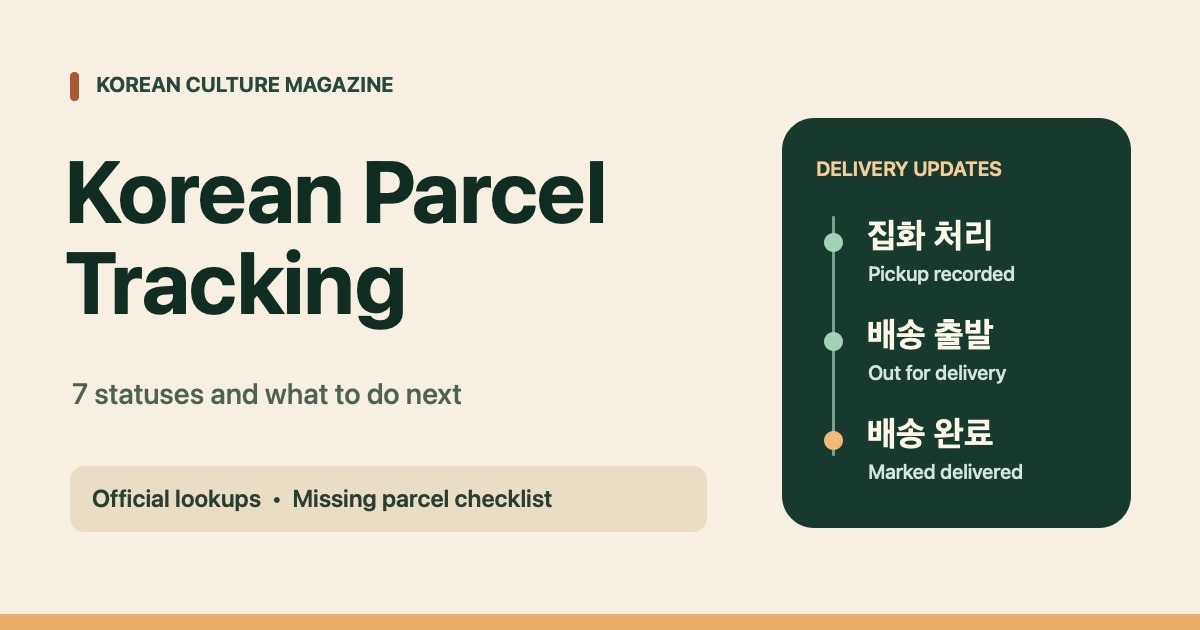
Korean parcel tracking makes more sense once you separate the order summary from the carrier’s latest scan. Your order page says 배송 중, and the latest scan says 배송 출발. Should you stay home? Open 배송 조회 (Track delivery) and read the newest timestamped update. 배송 중 can cover a broad stretch of transit. 배송 출발 usually means the parcel has started the local delivery run. An arrival estimate, if shown, gives you a better basis for planning.
Fast lookup: 운송장 번호 is the tracking number, 배송 완료 means the carrier marked the parcel delivered, and 배송 사진 is a delivery photo. If the parcel is missing, start with the delivery note and the location shown in the app.
- I have a tracking number, but there are no updates
- I want to know whether it’s out for delivery
- It says delivered, but I can’t find it
Table of Contents
Korean parcel tracking statuses at a glance
| Korean status | Meaning | What to check next |
|---|---|---|
| 배송 준비 중 | Preparing the order | Look for the seller’s dispatch estimate. |
| 집화 처리 | Pickup recorded | Look for the next carrier scan. |
| 간선 상차 | Loaded for transfer | Check the scan location. The parcel may be on a route between hubs. |
| 간선 하차 | Unloaded after transfer | Check whether the scan shows a hub or a local branch. |
| 배송 중 | In transit or being delivered | Open the detailed log for the latest event. |
| 배송 출발 | Out for local delivery | Check the estimated time or delivery instructions if available. |
| 배송 완료 | Marked delivered | Look for a drop-off location, delivery note, or photo. |
Korean parcel tracking labels vary across carrier and shopping apps, and a scan may appear later than the physical handoff. Some screens omit spaces, so 집화처리 and 배송출발 can appear as single strings. Use this Korean parcel tracking table to interpret the words on your screen, then read the event time and location together.
Official pages for Korean parcel tracking
To open the right Korean parcel tracking page, start with 택배사 (carrier) on the order detail page. The number next to 주문번호 identifies your purchase with the seller. The number next to 운송장 번호 identifies the shipment with the carrier. If the order interface is in English, look for “Tracking number” or “Waybill number,” then check which company issued it before opening a lookup page.
| Official page | What to enter | What to look for |
|---|---|---|
| CJ Logistics delivery tracking | 운송장 번호. The form asks for digits without hyphens. | 단계 (stage), 처리 (processing), 상품상태 (shipment status) and 담당 점소 (handling branch). |
| Korea Post domestic delivery tracking | 등기번호, the registered item number. | 국내우편(등기/소포)배달조회, the lookup for domestic registered mail and parcels. |
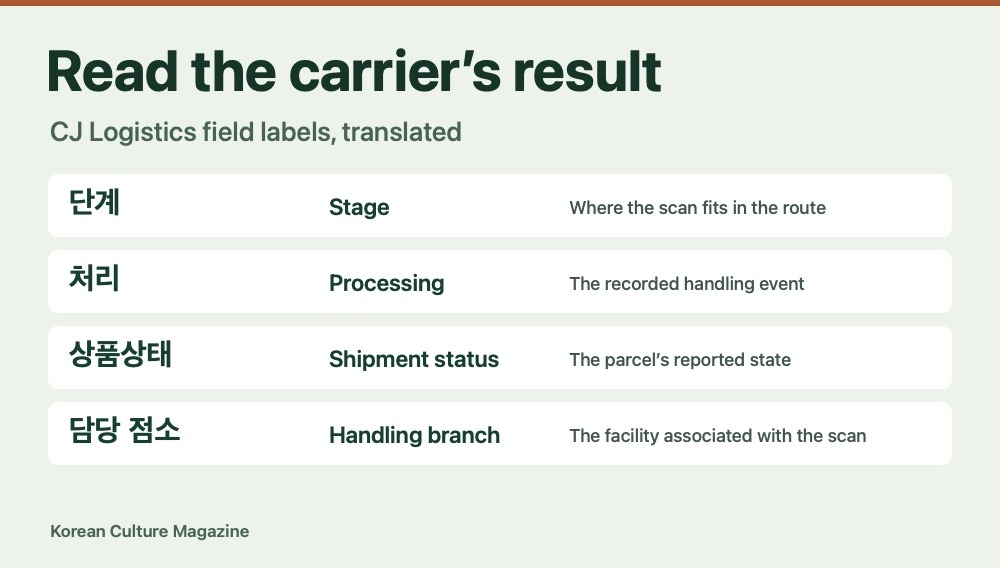
The labels in this comparison come from the public carrier pages checked on November 26, 2026. Use the route shown in your own order for other carriers. If the retailer has split one purchase into two shipments, open the number attached to the missing item. A delivered parcel from the same order may have a different tracking history.
How to read a Korean parcel tracking log
Open 주문 내역 (order history), choose the order, and tap 배송 조회 (track delivery). In Korean parcel tracking, some order pages display a broad label while the carrier’s detail view shows individual scans. Look for 택배사 (carrier) and 운송장 번호 (tracking number) if you need to open the carrier view separately. When Korean parcel tracking shows a long history, start with the latest dated row.
Practice log. These fictional timestamps show how the meaning changes across a single shipment.
| Scan time | What the screen says | How to read it |
|---|---|---|
| Tue 17:40 | 집화 처리 | Carrier pickup has been recorded. |
| Tue 22:18 | 간선 상차 | The parcel was loaded at a transfer point. |
| Wed 03:12 | 간선 하차 | The parcel was unloaded at a transfer point. |
| Wed 09:05 | 배송 출발 | The local delivery run has started. Look for an estimate before making plans. |
If the order says 배송 중 on Wednesday morning, the 09:05 row gives you the more specific answer. Reverse the example and stop at Tuesday’s 간선 상차. You can tell the parcel was loaded for a transfer, but the scan alone gives you no delivery appointment.
Read the two screens side by side
This Korean parcel tracking example uses public CJ Logistics field labels and fictional scan details. Imagine your shopping app still shows 배송 중 on Wednesday morning. The carrier screen now shows an update at 09:05 under its shipment status. Earlier rows record the transfer through a hub. The newer row describes a local delivery run. Compare the timestamps first, then consult the estimated window if one appears.
| Screen or field | Example text | What it tells you |
|---|---|---|
| Store order summary | 배송 중 | The order is moving through the delivery process. Open the detailed log for its latest milestone. |
| Carrier update | 09:05 · 배송 출발 | The example parcel has started the local run. An arrival time depends on any estimate shown for that shipment. |
| Handling branch | 담당 점소 | This field identifies the unit handling the scan. Use a delivery note or photo to confirm the actual drop-off location. |
Compare the latest event with what you need to decide. A hub name on a transfer scan answers “Where was it processed?” A local dispatch scan answers “Has the delivery run started?” A note saying 경비실 answers “Where was it left?” Those are three different questions. The same Korean parcel tracking screen may contain enough information to answer just one of them.
If the shop and carrier show different dates, check whether one means 발송 예정 (expected dispatch) and the other means 도착 예정 (expected arrival). Then compare the tracking number attached to each screen. Once you have matched the parcel, use the carrier’s timestamped scan to describe its latest recorded movement to support.
Choose what to do when the carrier is on the local run
If Korean parcel tracking shows 배송 출발, look for a delivery estimate and check the drop-off instruction in the original order. For a routine doorstep delivery, you may already have everything you need. If a handoff or signature matters, use the specific instructions on that order and contact its carrier if the window is unclear.
If your building has multiple entrances, verify the building and unit details before requesting any change. The driver may already be following the instruction entered at checkout. If you contact support, put the requested location in a short sentence and ask whether it can still be changed. Wait for confirmation before making arrangements around the new drop-off point.
A delivery estimate can move during the route. Save the latest time and status if you need to report a delay, then check the order again when its displayed window has passed. A clear support message pairs a status with an actual time, such as “The last scan was at 09:05, and the stated delivery window has passed.”
Korean parcel tracking has no updates
A seller can create a label before the carrier records pickup. Korean parcel tracking may therefore show an active number with an empty scan history. If you see a tracking number with 배송 준비 중 or an empty tracking log, compare the seller’s 발송 예정일 (expected dispatch date) with the current date. If it has passed, the seller can check whether the parcel was handed over. If a carrier pickup or transfer scan already exists, use the latest scan and the delivery estimate when contacting support.
Keep 발송 (dispatch) and 도착 (arrival) separate when reading estimates. A listing that says 금요일 발송 예정 expects the seller to send the parcel on Friday. 금요일 도착 예정 gives Friday as the estimated arrival day. If you need the parcel before leaving town, that one word changes your decision.
What to check before contacting the seller
- Compare the carrier name and number with your order. A number copied from a payment receipt may be the shop’s order number.
- Check the entry format on the official site. For example, the CJ Logistics form asks you to remove hyphens. Read the current instruction on the site you are using.
- Compare the expected dispatch date with the shop’s latest message. If dispatch has already passed and the carrier still shows no pickup, ask the seller to confirm the handoff.
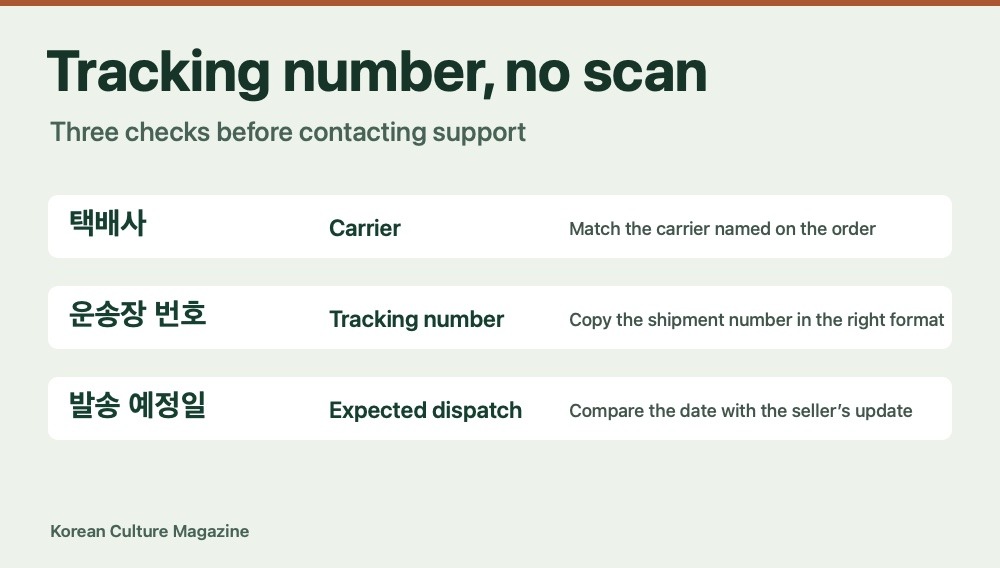
An empty Korean parcel tracking result can have several explanations. The official CJ Logistics screen describes both an unregistered waybill and a shipment the sender is still preparing. If you already see a pickup scan but the estimate has passed, include the last scan’s date, time and location when asking the carrier or order support for an update.
Suppose an order lists two items, but only one has a number. Check each item’s shipment row before opening a support conversation. “One of two items arrived” tells support more than “my order did not arrive,” particularly when the store’s order summary groups multiple parcels under a single order number.
What to do when 배송 완료 appears but the parcel is missing
- Open the tracking details and look for 배송 사진 (delivery photo), 배송 장소 (delivery location), or a delivery note. Compare the time and the location with your order.
- Check places named in the record. 문 앞 means at the door, 경비실 means the security office, and 무인택배함 means an unattended parcel locker. A staffed office and a locker may have different pickup procedures.
- Confirm the delivery address and unit in your order. In an apartment address, 동 identifies the building and 호 identifies the unit. Compare both, especially if several buildings use the same unit numbers.
- If the parcel still has not turned up, contact the carrier or the seller through the official order or tracking screen. Include the order or tracking number in that private support channel and say what you already checked.
A box in a photo may be beside a door much like yours. Describe the mismatch when asking for help, such as a different unit number or floor, and ask the carrier to confirm the drop-off location. Keep tracking numbers and entry codes out of public posts. See the magazine’s guide to Korean delivery notes and door-code privacy for help choosing a drop-off instruction.
Read the note before opening a claim
| Note on screen | What it means | Where to check |
|---|---|---|
| 문 앞 | At the door | Your unit’s doorway and the area visible in the delivery photo. |
| 경비실 | Security office | The staffed office named in the note or the desk for your building. |
| 무인택배함 | Unattended parcel locker | The locker identifier and pickup instructions in the delivery message. |
| 관리사무소 | Building management office | The management office if the note expressly sends you there. |
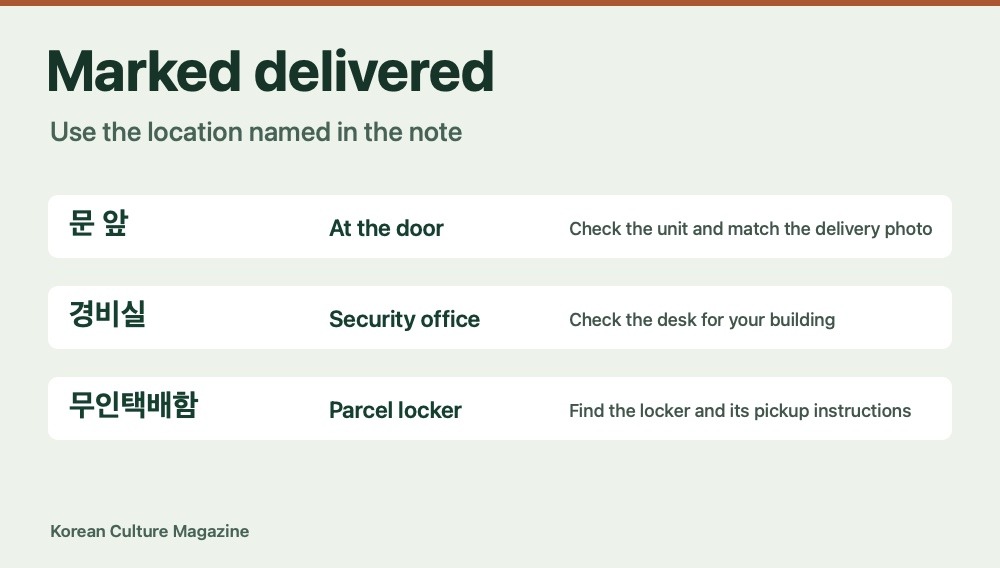
If the photo shows the right corridor but the wrong door, describe the visual difference. If the note says security office but there is more than one office in the complex, give the building number and ask which office received it. If the locker is correct but the compartment will not open, use the support channel named in the locker message and record the locker number.
For private support, gather the order item, latest scan time, delivery note and places already checked. Keep that information in the conversation attached to the purchase or the official carrier case. If the carrier confirms a different location, ask for a clear next step and keep the case reference with your order notes so you can continue the same conversation later.
Korean messages you can copy
Ask the seller whether the parcel was sent
안녕하세요. 운송장 번호는 확인되는데 아직 배송 조회가 안 됩니다. 상품이 발송됐는지 확인해 주실 수 있을까요?
Hello. I can see the tracking number, but tracking information is still unavailable. Could you check whether the item has been shipped?
Ask where a delivered package was left
안녕하세요. 배송 완료로 표시되는데 택배를 찾지 못했습니다. 어디에 두셨는지 확인해 주실 수 있을까요?
Hello. It’s marked as delivered, but I can’t find the package. Could you check where it was left?
Say which locations you already checked
문 앞과 경비실을 확인했는데 택배가 없습니다. · I checked by my door and at the security office, but the package isn’t there.
The ending 확인해 주실 수 있을까요? is a polite way to ask someone to check. Use the dispatch question with the seller and the location question with the carrier or platform support handling the delivery. If you checked a locker instead of the security office, substitute 무인택배함 for 경비실.
Ask for an updated delivery window
배송 출발로 표시되는데, 오늘 배송 예정 시간을 확인해 주실 수 있을까요?
The tracking says it’s out for delivery. Could you check today’s estimated delivery time? If the date matters more than an hour, replace 배송 예정 시간 with 배송 예정일 (expected delivery date).
Ask which locker or building received it
배송 완료로 표시됩니다. 어느 동 또는 어느 무인택배함에 배송됐는지 확인해 주실 수 있을까요?
It’s marked delivered. Could you check which building or parcel locker it was delivered to? Keep only the location that fits your situation. 어느 동 asks which apartment building, and 어느 무인택배함 asks which locker.
Lead with one question per message. If the status is unclear, ask whether the parcel was handed to the carrier. If the parcel is late, ask for the current window. If the parcel is marked delivered, ask for the specific location. Include your reference number in the official support channel and add the locations you already checked when useful.
Try the 60-second tracking quiz
Use these Korean parcel tracking examples to choose a next step before opening each answer.
간선 하차 appeared at 04:10. Is the parcel out for delivery?
That row records unloading at a transfer point. Look for a later local delivery update such as 배송 출발 or an estimated drop-off window.
The latest row says 배송 완료, and the note says 경비실. Where do you check?
Check the security office. If the item is absent, verify the delivery address and ask support to confirm the drop-off location.
The product page says 금요일 발송 예정. Which day is it expected to reach you?
The stated date is for dispatch. Look for a separate arrival estimate in the tracking details before planning to receive the package.
Frequently asked questions
What does 택배 mean?
택배 (taekbae) commonly refers to parcel delivery or a package sent through a parcel service. 택배가 왔어요 means “The package arrived.” 배송 조회 is the button or label to look for when you want tracking.
Can I change the drop-off location after 배송 출발?
Check whether the order or carrier screen still offers an edit or contact option. Options vary with the seller, carrier, and delivery stage. If you can reach support, ask 배송 장소를 변경할 수 있을까요? (“Could I change the drop-off location?”) and wait for confirmation before assuming the new instruction was accepted.
What if a message says 반송?
반송 means the parcel is being sent back or returned. Look for a reason in the Korean parcel tracking note, then check the order screen or contact the seller for the next step. 반송 사유 means “reason for return.” A return status in Korean parcel tracking does not tell you whether the seller has processed a refund.
Why do two tracking rows show the same status?
Repeated Korean parcel tracking labels can describe events at different locations. Compare the timestamps and location fields before deciding the parcel is stuck. If the location changes, the two rows may record different stages of a transfer under a similar label. If the scans have stopped and the stated estimate has passed, quote the latest visible event when contacting support.
Which number should I use for a return parcel?
Open the return request in the seller’s app and look for its pickup or return tracking number. The incoming waybill describes the original shipment to you. Keep the return number with the pickup confirmation so the seller can locate the shipment going back. If the app displays a return request without a waybill yet, ask the seller whether collection has been arranged.
For a wider guide to ordering, read Online Shopping in Korea. If you want to send a package yourself, see the parcel-services section of the Korean convenience store guide. For more vocabulary practice, look up the words from your tracking screen in the National Institute of Korean Language’s Korean–English Learners’ Dictionary.